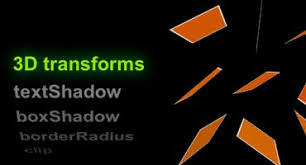
Now see how the bottom rotation has a Y in it this Y is how the 3d effect happens the Y will make go all the way around till it’s back at its normal form combine that with opacity 1 you can get a cool effect.
That’s it for today thanks for reading this blog post and if you’re interested in Brotherswhocode subscribe to our youtube channel here and visit our website http://brotherswhocode.dev.
Hello, this is Ajani, and today we are talking about some of the best Photoshop Apps (in my opinion).
1:PicsArt.
PicsArt is a popular all-in-one image editing app and creative community that makes it easy to take your photos to the next level. With thousands of powerful editing features, you can remix amazing pictures, collages and drawings, and photos with friends.
Millions of people use Pixart as it packs a selection of premium tools such as photo blending, artistic filters, AI-powered photo effects, Photoshop-style layering and drawing tools, cropping, text overlays, and more. Discover thousands of free sticker packs, fonts, collage templates, backgrounds, and brushes. Find the images you like and learn how to make them with daily photo editing challenges and tutorials. Remix millions of free-to-edit images with a global community of over 100 million monthly active users, and chat, share and edit photos with your friends using Remix Chat.
Just like you’d expect, this free photo editing app comes with a range of preset filters. However, unlike most apps, you can edit these filters and even create your own from scratch.
It also has all of the classic tools, such as cropping, straightening, frames, text, vignettes, etc. And the sharpening feature does the job without making the image look grainy.
Then, things get interesting.
Snapseed has precision masking, which allows you to edit the depth of field – photographers often do this to make the background blurry and bring the foreground even more into focus.
There’s also a “Selective Adjust” tool. This lets you select a specific area of your photo and adjust the saturation, contrast, and brightness of that single point.
What’s more, the photo editor app saves your edit history, so you can amend your previous edits at any point.
For Android and Iso
3: Adobe Photoshop Express
Adobe Photoshop Express takes many of Photoshop’s most useful photo editing tools and squeezes them into a mobile app. And despite providing plenty of advanced features, this free photo editing app is easy to use on a small touchscreen.
Just upload a photo from your device, take a new one with the camera, or use an image from your Adobe Creative Cloud account, and then start editing.
It has all the tools you’d expect – cropping, red-eye correction, brightness, contrast, saturation, filters, borders, etc. However, the best part is its selection of smart filters. These filters automatically correct common issues, such as color temperature and exposure problems
Canva is a graphic design platform, used to create social media graphics, presentations, posters, documents, and other visual content. The app already includes templates for users to use. The platform is free to use and offers paid subscriptions like Canva Pro and Canva for Enterprise for additional functionality Wikipedia
Hey guys, so you’re probably wondering how you can make cool animations that transform your static webpage into an impressive animation beast. Here are some simple and helpful tips to get you started using Gsap.
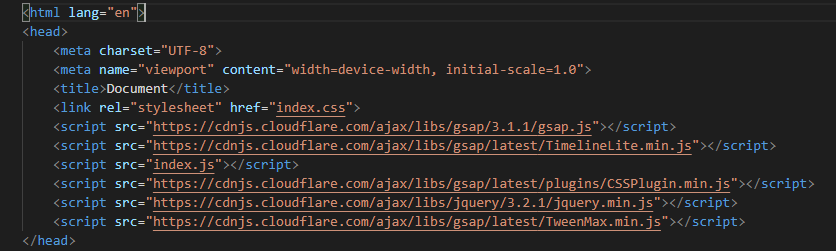
1: The Setup of Gsap is pretty simple first, you set up an HTML boilerplate then, put in these tags in the head like this:
2: Next, make an index.js file, then you make the file.
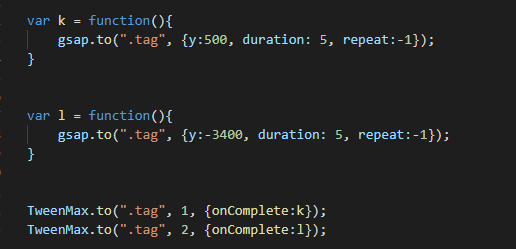
3: Now, here is an example of some Gsap code:
There are a lot of things in this code so let’s break it down. First, the animation connects to the TweenMax through vars. Class is the name for a function. The class name is L next to the code in the function, looks like this Gsap.to(“.class” {elments});. Gsap.to makes the animation starts using commands, example case y is an element that makes tags move vertically, the duration is how long the animation lasts, repeat makes the animation go on forever until you refresh the page, and TweenMax connects the Gsap to the HTML document.
that’s all the basic of Gsap that I know thank’s for reading and see you later.
Hello, this is Ajani, and today we are talking about the basics of building a website. Please feel free to check out our content on Youtube and Instagram. Learning to code is easy if you concentrate on the fundamentals and enjoy the learning process.
Here are a few things you need to know about the basics of Html. What is HTML? (Hypertext Markup Language) code used to structure a web page and its content. Learning HTML is not all that hard. The first thing you need to know is how to set up a boilerplate. A boilerplate is an HTML, CSS, and JavaScript template for creating HTML websites. A boilerplate looks like this Here is a sample model for a website.
Boilerplate code or boilerplate: refers to blocks of code that have to be in many places with little or no alteration. Often boilerplates are used when referring to languages that are considered verbose. The programmer must write a lot of code to do minimal jobs.
Today, we’ll be discussing common HTML and CSS coding errors frequently made by novice programmers:
Distractions: Learning HTML and CSS requires concentration, often necessitating sacrifices and the avoidance of distractions. Maintaining focus is crucial.
Lack of Research: In my initial foray into coding, I neglected to seek solutions for seemingly basic issues that, in retrospect, were easily solvable. Research is key to overcoming hurdles.
Overthinking: Extensive coding experience can sometimes lead to overcomplicating simple problems. It’s important to keep things straightforward.
Forgetting the Basics: The belief that you’ve mastered all the fundamentals can lead to overlooking simple concepts. Staying mindful of the basics is essential for consistent coding success.
Sup Hasani here one of the BrothersWhoCode so today I was looking in one of my old blogs when I saw How To Make A Header Using HTML & CSS, And in this blog, I saw me using CSS-Grid in this blog, but I did not explain what CSS-Grid was, So in this blog, So in this blog, I am going to explain what CSS-Grid lets dive in.
So to clarify yes CSS and CSS-Grid are not the same things even tho CSS-Grid is in CSS.
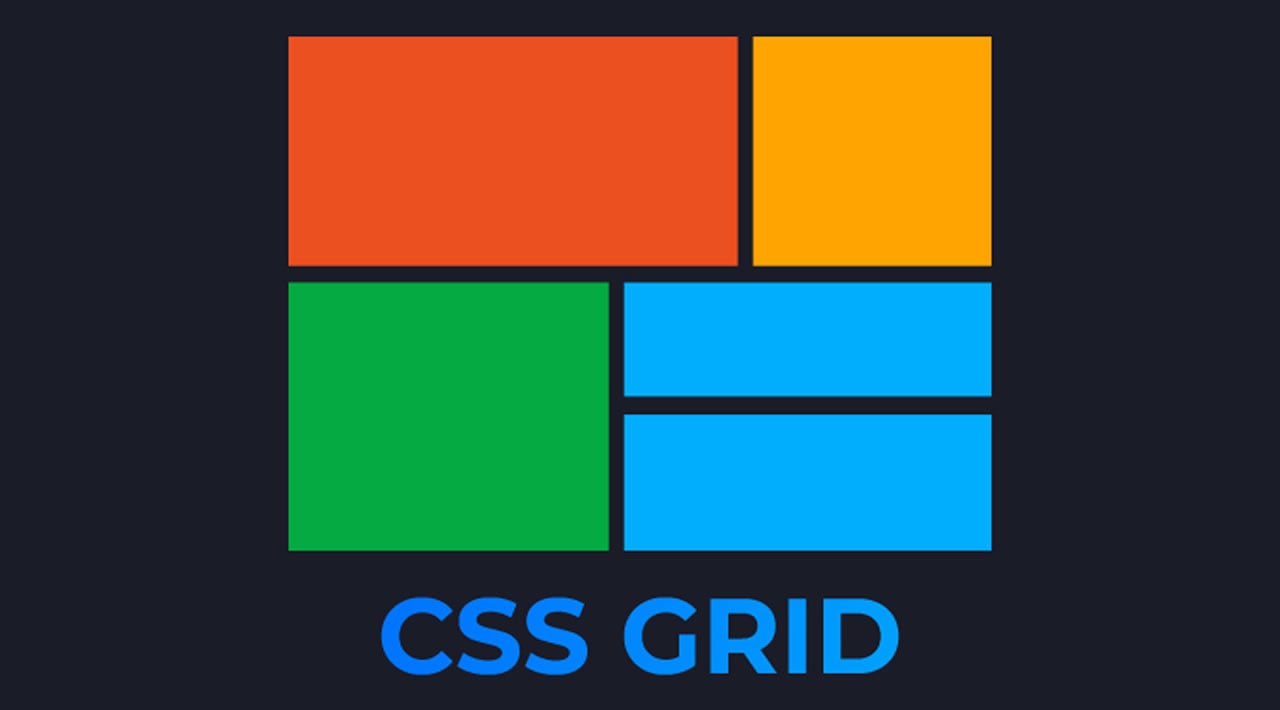
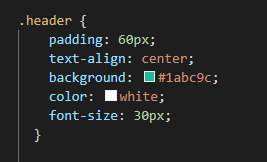
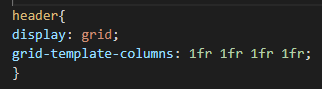
Now CSS-Grid is a two-dimensional grid-based layout system that aims to do nothing less than completely change the way we design grid-based user interfaces. CSS is Great but some things like making a simple header or creating a row or columns of something can be hard and time-consuming but with CSS-Grid it’s easier than ever for example for a header.
Sup, BrothersWhoCode Here With a Blog Today I Will Tell You How To What is an API.
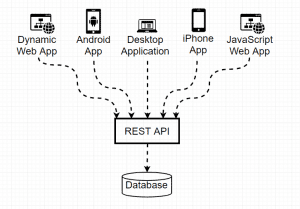
So What is an API? An API AKA Application Programming Interface is a computing interface that defines interactions between multiple software. It Can Also Be Used To Store Data Used To Make Dashboards(This is a dashboard).
An example of what an API can do let’s say when you use an application on your mobile phone and the application connects to the internet when you connect to the internet an API sends data to a server. The server then retrieves that data, interprets it, performs the necessary actions, and sends it back to your phone. The application then uses that data and presents you with the information you wanted in a readable way.
There is a REST API to its basically an API but REST AKA REpresentational State Transfer allows you to Grab More in-depth Data.
That’s it, for now, thanks for reading If you like BrothersWhoCode You Will Love are web site Brotherswhocode. dev and Once again thank you and see you next post
I’m thehomeschooldev.com, a self-taught web-developer. I have been homeschooling children for 15 years. In 2018 I made some changes in our homeschooling curriculum changes the focus to a Tech curriculum.
We want to inspire every to learn to code, and today we are showcasing youth Tech talent. I’m an advocate for Tech homeschooling!
Ajani is 13yrs of age and Hasani is 11yrs old, these awesome youth put in many long hours to achieve these results. Please feel free to try these Tech techniques at home, by learning to code.
Hi Ajani here and I’ll be showing you how to start a PHP website
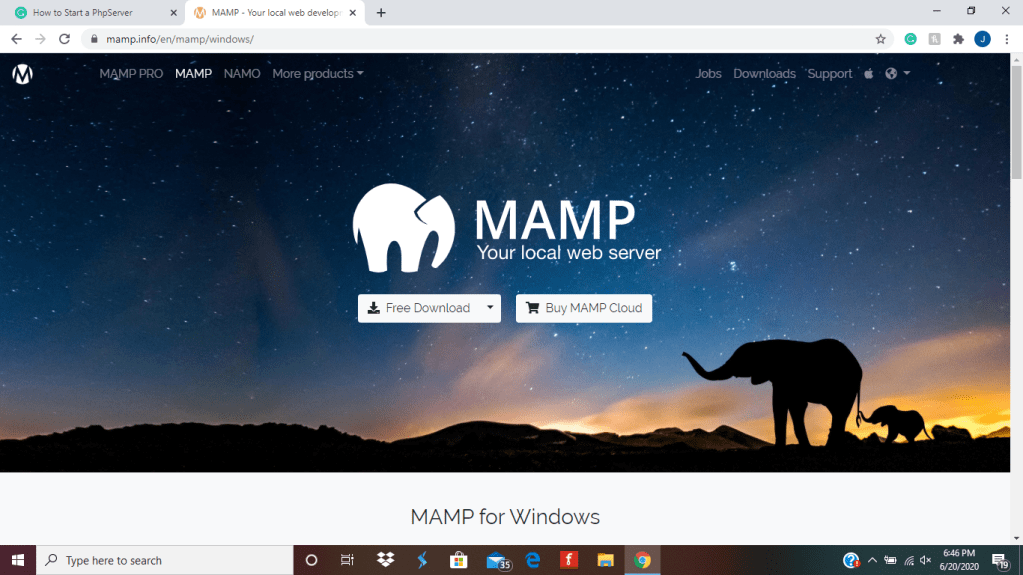
First, you have to install Mamp, VScode. Create a project folder call it whatever you want, Then open it in VScode and make an Index.Php File.
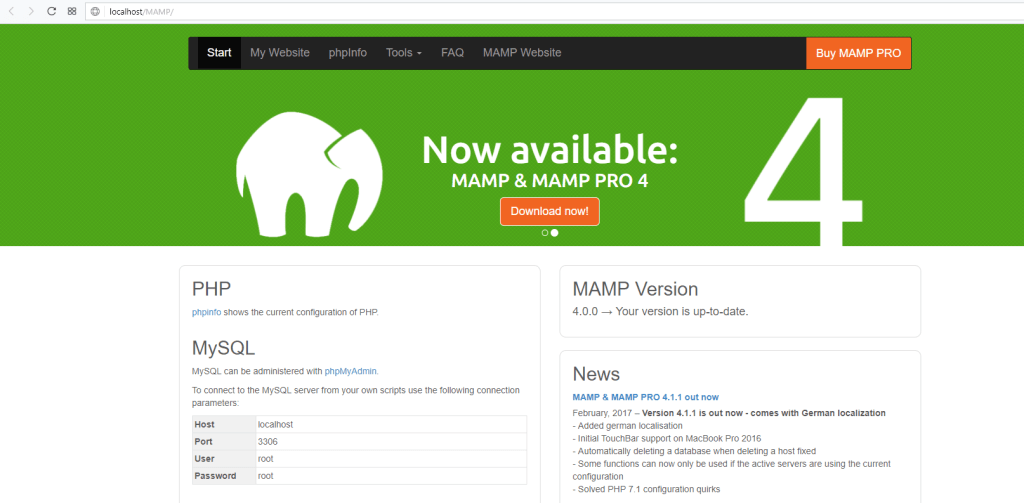
Once Installed go to Mamp on the top left corner press preferences after that go to WebServer, Set your Document Root to the Project you created, after that start the servers it should look like this, press open Web Start Server backspace /MAMP/ and put https://localhost:8888/ after that open vscode then open your folder you made, and in the file put
<?PHP
?>
put all your HTML and CSS in that one file inside that tag,
Hey, guys today using PHP we will store user data from forms, but before that, we need to set up a database in ubuntu (Before You Follow the steps install ubuntu and PHP)
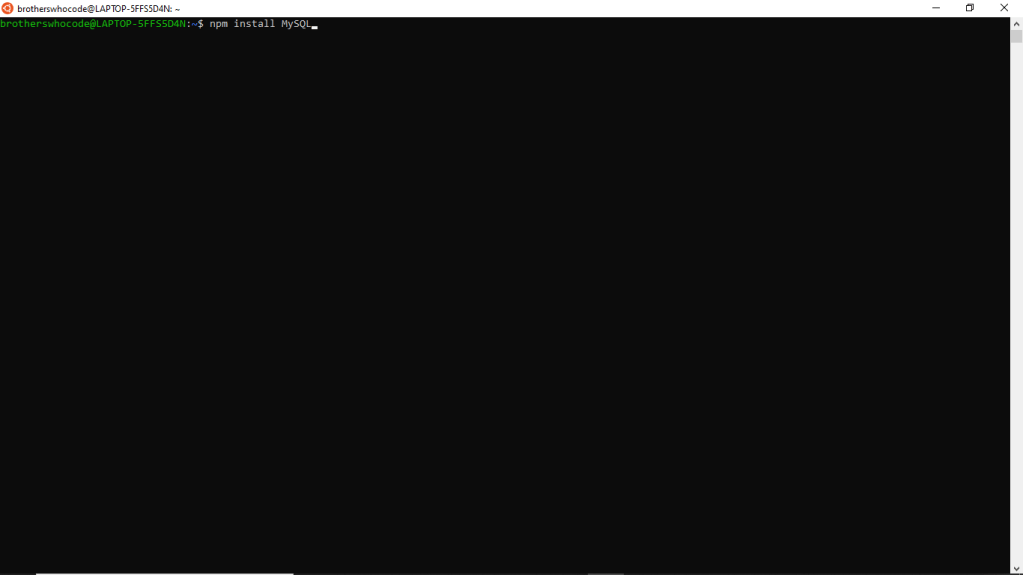
Step 1: First Open ubuntu next type “npm install sudo” then type “npm install mysql” for the database, next just wait for them to install.
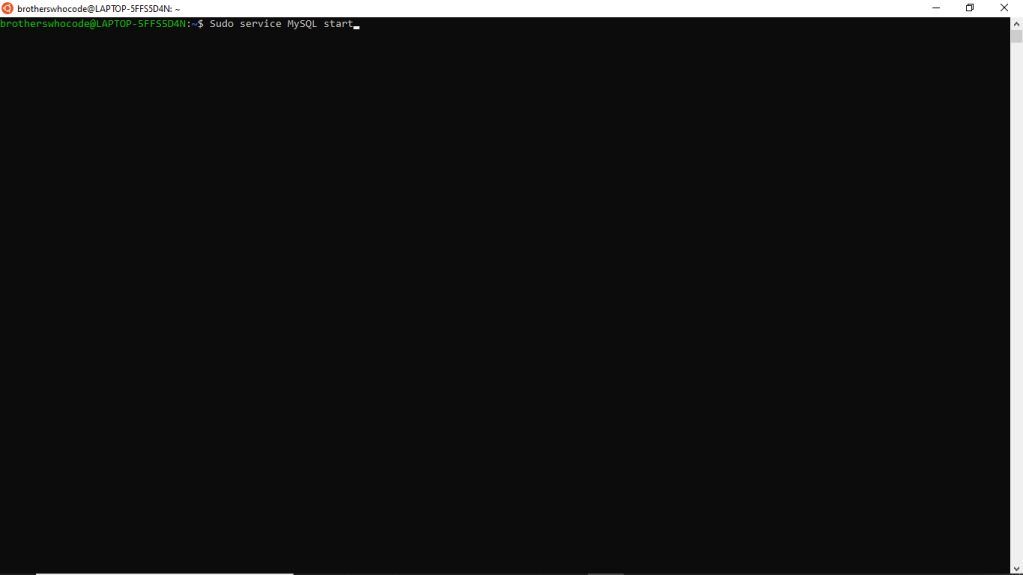
Step 2: Next, run “sudo apt install mysql-server” then you want to start the MySQL with “sudo service mysql start;” and Enter your password.
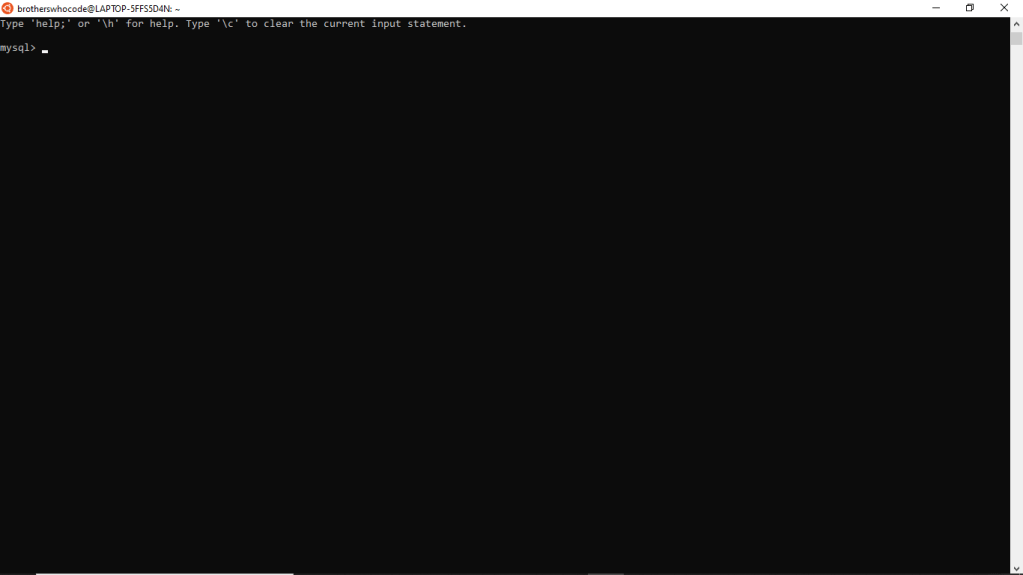
Step 3: Next type “sudo mysql -u root -p;” then enter your password if you did everything right then you will have this “mysql>”.
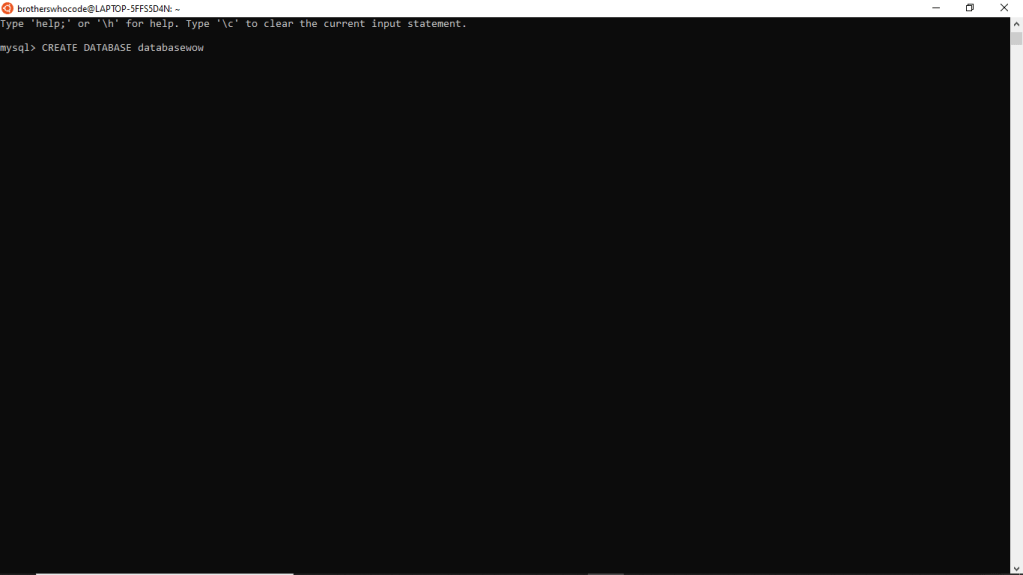
Step 4: Now you need to create an easy database first you need to say “CREATE DATABASE name;” make sure that Create and Database is uppercase, then to make sure its created do “SHOW DATABASE;” the name of your database is going to popup.
Step 5: This is the last step first go to your PHP website next in the PHP code and put “<?PHP







 Brothers Who Code