I want you to think about the first time you heard about coding. What was the first thing that came to your mind? Did you dig in deeper to discover what it was all about? Or did you toss it aside because it did not seem like something you would be interested in because it looks complicated and boring? I am here to tell you that I understand how you feel because I can relate, I also want to share my journey towards discovering coding and how totally wrong I was about it.
My name is Jerry Smith, I’m from Chicago IL, graduated from Columbia College with a BA in Film & Video. I have held teaching assistant positions in the Chicago public school system. I’ve been home-schooling for 15years and as my family grew I had to customize my home-schooling strategies.
Knowledge can be impacted through multiple mediums; it is not limited to the four walls of a classroom or from the pages of a book. The act of knowing is one of the greatest gifts bestowed upon us because it never ends, and for those who are entrusted with imparting knowledge to other people – the teachers – they might make it look effortless. However, teaching is a delicate practice that transcends time because it can be done regardless of the medium or age, or even language.
At this juncture, I should remind you that coding and programming was not something I had an interest in as a young teacher. It was something that sort of grew on me at a time when I needed a change.
The truth is I was tired of my routine as a teacher and I wanted to use my time as a home-school teacher to explore other options. So instead of just being a teacher, I decided to learn to code. There was only one slight difference, I wanted to go on this journey with my kids.
I am a single father of four boys; Ajani 14yrs, Hasani 12yrs Zamir 8yrs old, and Javier 3yrs old apprentice in training. My boys are my priority and as a parent, all I desire is to impact my children with enough knowledge that will equip them to become the best version of themselves. Every child deserves a solid foundation in terms of education and a teacher, I understand this so much. I home-school my children which have been a tremendous experience for me to learn from. These kids, teach you a lot about yourself as much as you teach them too.
When I started, coding was like a DaVinci code – something impossible to crack open. Especially since I had no background in software engineering. However, the more I inquired about it, the clearer it became. Tech is the new oil drill, it is pumping so much wealth for the likes of Bill Gates, Elon Musk, Mark Zuckerberg and so many more. It has created vast opportunities for young people all over the world. It has solved a lot of problems and has even created plenty.
At first, it was slowly creeping into our lives and now we can barely perform daily tasks without sorting the help of technology. This was something that I found fascinating because I was curious to discover the fundamentals of this powerhouse. This led me to the question – What is coding?
Coding is a language you communicate to a computer for it to understand what you need it to do. ”Coding means using the programming language to get the computer to behave as desired. Each line of the code is a set of instructions for the computer.”
These languages vary and examples of programming languages include C, C#, C++, Java, Perl, and PHP. The basic elements for programming languages are: • Programming Environment. • Data Types. • Variables. • Keywords. • Logical and Arithmetical Operators. • If else conditions. • Loops. • Numbers, Characters, and Arrays.
The first few weeks when I began learning programming with my kids. It was a whole new experience for us. As I said, I am a teacher. I know the ropes; I know how delicate it is to teach kids anything. To be in a position where I was imparting knowledge to young minds. However, I was aware that this was a different territory and I had to be careful and patient with them. We were learning together. This sort of experience humbled me so much because it placed me in a different situation.
I was no longer just their dad or their teacher, I was also learning just like them. This experience I would say made me spend time with them a lot more than before and I was able to understand how their mind works. The good part was that they were interested in it because they were curious, to begin with. And you cannot teach that, neither can you take it away. For my kids, the interest was already there. I just had to nurture their passions. And so I did.
We started learning programming and coding at the beginning of 2019. I was able to combine their normal curriculum with creating times within the weak where we learned about coding and programming. So far, so good. My fourth son is still young to understand what is going on however, he has been watching his older brothers and we plan to put him through when he is old enough. How has the experience been for me to learn how a new skill alongside my kids? Surreal.
On one part, it has been delightful to watch them learn and grow as coders and make it their own in such a young way. The entire experience has made me realize how powerful the minds of children can be as long as they are provided an environment that allows them to thrive. It has also made me believe in myself more and encourage me never to let my curiosity to learn something new fade.
I wanted to try something new so we took on a quest to learn to code together, it was a case study. A simple formula to learn everything we could about coding technologies. I’m a single parent and I see technology as a way to create something awesome and a lifestyle change. The more time passed we developed a close technical bond, that bond manifested into us mentoring each other.
In the year 2020, I was satisfied with the growth my children and I had made so far. I could only describe my newly acquired skillset as a turning point. If I could learn all this within a space of a year alongside my children whilst home-schooling them, I could do more. I wanted to share my story with the world. I also wanted to pass down the things I had learned to young kids who were interested in programming and coding.
This is why I believe teaching is always evolving. It does not stick to a single pattern. The year 2020 taught us so many things about changing the status quo. Our lives were transformed due to the pandemic and the subsequent lockdowns. Schools were closed and parents were spending a large chunk of their days with their children, kids were learning through zoom classes. We all had to remain at home because it was the only way to keep us safe. During that time.
I had pretty much adjusted to spending time with my children because home-schooling was already part of my routine. However, I admit the dynamics of our daily routine changed because we were also stuck at home. I miss the old routine; I miss when it was safe to go outside. Still, I agree to keep outdoor interaction minimized till we figure out ways to tackle this pandemic. But like I said, teaching cannot be limited to the four walls of a classroom. Learning never ends.
Right now, I plan to spread the gospel. My passion for programming has inspired a new career path for me, thanks to my kids. We founded a company of our own in our quiet town in Albuquerque. We began with a small number of people who we mentored to code and learn programming languages such as Html, CSS-grid, SQL, Git, G-Sap, JavaScript, PHP, C#, C++, to name a few.
We plan to teach as many people as possible coding technology. We also want to educate people about coding and how technology has been infused into our day-to-day lifestyle. I hope to inspire a lot of people especially young minds to be whoever they want to be and if they want to be a programmer, why not?
STEREOTYPES BEHIND CODING AND THE ACTUAL TRUTHS
CODING ISN’T FOR EVERYONE This is a big fat lie. Yes, there might be an argument that there are people who have a rare talent for coding. However, if there is any testament to convincing you that it is not impossible, it is me. I was a school teacher, a dad in his fifties who had zero background in software engineering. Now, I have a company that mentors other people on how to code. How did I do it? By being determined and willing to learn, I was able to acquire so much knowledge about programming and coding within two years. So, no, coding is for anyone willing to learn and practice. Practice does make perfect.
CODING IS FOR NERDS While I understand the need to place a nerdy stereotype upon those who studied programming in college or those who work as a programmer for a living. It is not entirely true. It is not an exclusive club that is reserved for a certain kind of people. Besides, who cares if you are regarded as a nerd just because you are good at what you do? If you are interested in learning how to code, you should not let the societal perception discourage you. besides, just because you are a nerd does not mean you cannot be successful. Take Bill Gates, Elon Musk, Mark Zuckerberg for example.
CODING IS ONLY FOR THE OLDER GENERATION This is untrue. And I am so glad that my kids’ stories will inspire so many young kids out there to develop their skills as programmers as early as they can. Coding is not only for the older generation. Studies have shown how the youth are opting for careers in tech all around the world, the number grows every day. Innovative ideas are made by young people and these ideas solve a lot of world problems. So no, you do not have to be of a certain age before you can learn how to code.
CODING IS ONLY FOR YOUNGER GENERATION This goes without saying but it feels like something we need to buttress, if you feel like you are too old to learn to code, then you should consider me as a case study. It is never too late to learn anything; programming is one of them.
WHY YOU SHOULD CHOOSE BROTHERWHOCODE TO MENTOR YOU I know deep down that this is something I want to focus on in the nearest future to come. I will be honored to have you onboard my growing network of coders.
Jerry Smith is a 54-year-old teacher, mentor, and father who taught for 15 years until he decided to learn programming and coding with his children. He has since become a mentor not only to his kids but to young people who wish to become programmers just like him. He founded a company alongside his children called Brotherswhocode. The company is dedicated to mentoring and teaching skillsets that prepare one to succeed as a programmer. So far, they have created a network of Albuquerque’s programmers. Their vision is to grow this network, impart more knowledge and debunk the stereotype behind coding, by deciphering the complications of programming languages.
For further inquiries, you can visit their website to learn more about Brotherswhocode brotherwho.code.blog. Watch their coding lessons and tips on their YouTube channel. The link is https://www.youtube.com/channel/UCJmvf2Gv1SYE1jCf4_r9L6w.
Hi Hasani here and CSS is one of the First coding languages I learned and, I can say from experience, I messed up a lot by using the wrong properties but, now I know a lot of useful CSS properties for you.
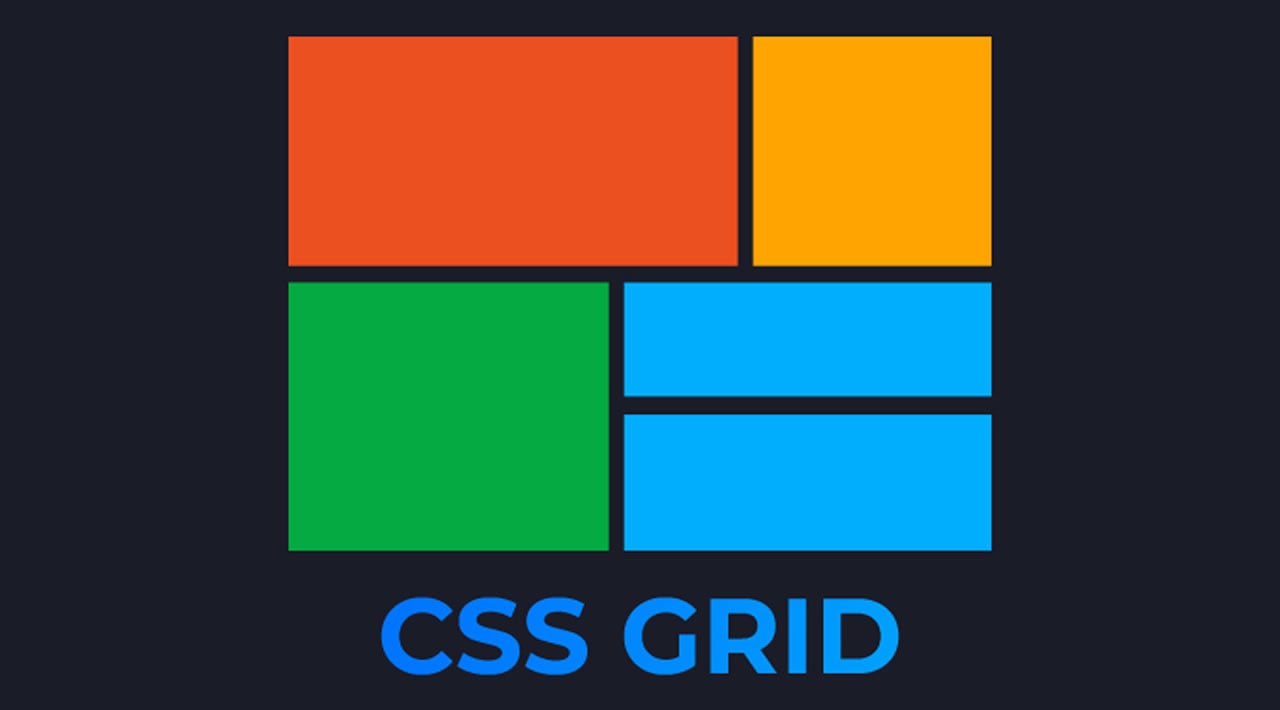
1 Display Grid: Grid is a layout system that has control over both horizontal and vertical aspects of your layout.
2 Positon relative: When moving Html elements, a mistake I made was using padding or margin instead, you should use position relative by putting position: relative then left, right, top, or bottom you can manipulate elements easy but there is a catch, all the properties, are reversed like right is left and the top is bottom so, you just have to remember that.
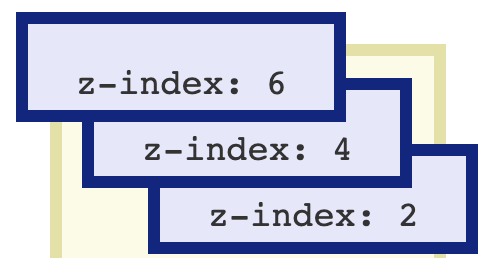
Number 3 z-index: How one works is like let’s say you have an image and text if your text is under the image then, you use z-index to change the z position for which puts the element on top of the image it’s very useful if you know how to use it.
Hey, Hasani here, and today I will show you how I write these blogs.
To write blogs I use this app called Grammarly, Grammarly is a writing app that makes sure everything you type is not only correct but also clear and easy to read. Grammarly gives you suggestions to help with grammar, spelling and usage, wordiness, style, punctuation, and even plagiarism I recommend this for beginners.
Next, I copy the text and paste it into WordPress I give it some images and post them.
Hey guys, it’s Hasani here and in some cases, you will need to make CSS apply to specific parts of Html but, how do you do this simple inline CSS well today, I will show you two ways of using inline CSS.
First, what is inline CSS? Well, inline CSS is used to apply a unique style to a single HTML element. Aninline CSS uses the style attribute of an HTML element.
Here is how you use Aninline CSS the first way of using inline CSS is the style tag by putting a style tag like this in the Html in the style tag is CSS.
Here is the second way, first create an Html element then, put style=”” in it like this.
Hi, I’m Ajani, and today ill hop on the topic on after effects vs premiere pro. I have seen so many posts about AE VS PR (After Effects vs Premiere Pro), I want to put a tiebreaker on this. First, off I want to say I have lots of experiences using Premiere Pro but after-effects are not one of my skills but from the amount of research I have done on AE (After Effects) now to start this off yes after-effects have more to offer with other effects I like to think of After Effects as an upgrader version of Premiere Pro as After Effects is more for animations and advanced VFX but Premiere Pro, on the other hand, it is more of a video produced type of software but it has had its appearance in multiple movies like Deadpool Gone Girl, Captain Abu Raed, and many more Wikipedia. as so After Effects has had many movies made in the software. So, in my opinion, I’m going to have to give it to After Effects. You can a lot of cool stuff with it just even tho I have never used it ill give it a try and do an update on how was the expression
Hi, I’m Ajani, and ill give you some of the best apps and websites to use for editing and making intros.
Panzoid: Panzoid is a community and tool for creating beautiful, custom content. It was started in January of 2012 for aspiring online content creators. The launch of Backgrounder 1.0 marked the start of Panzoid’s mission to provide tools for easily creating beautiful, custom digital art Panzoid-About.
Panzoid has an entire list of intros and templates you can use and your ability to edit and make them yourself.
Panzoid comes with ClipMarker for making 3d and 2d animations, Backgrounder for making thumbnails, Art, etc. They also come with a blit in Video Editor.
Premiere Pro: Adobe Premiere Pro is a timeline-based video editing software application developed by Adobe Inc. and published as part of the Adobe Creative Cloud licensing program. First launched in 2003, Adobe Premiere Pro is a successor of Adobe Premiere Wikipedia.
Premiere Pro is another software that I highly recommend, One of the best software I have ever used to edit my videos.
Comes with effects for Audio And Video, With filters, Transitions, Text, and more.
This software on the other hand is not free to use all tho its methods out there to get it for free but I recommend buying it to get the latest updates and effects that come out in the future.
After effects: Adobe After Effects is a digital visual effect, motion graphics, and compositing application developed by Adobe Systems and used in the post-production process of film making, video games, and television production. Among other things, After Effects can be used for keying, tracking, compositing, and animation Wikipedia.
After Effects, on the other hand, is software I haven’t used yet so I can’t say what’s on it or not but from this article on Adobe.
“Artists and post production professionals rely on After Effects to generate visually stunning work for film, TV, video, and web. After Effects bpost-productions motion to graphics, whether it’s as simple as animating a title across the screen or as complex as building a 3D world. What Is After Effects“
Hi, I’m Ajani, and today I’m going to show you how to make a 3d art thumbnail using blender. Make Sure you have blender installed using this link Blender Once you have it installed open it and start a project by pressing General. First, delete all of the files in the project by using your mouse to select all then press the delete key next to backspace and enter. Once done Use this pack to get your blender model Link Install one you like this after that go back to blender and press file and append and file open the file you download and open objects and press a to select all and append. Now if your model looks like this press this button right here it should be on the top right of your screen. Now it should look like this, Once done it’s time to pose your model by pressing this and going into pose mode, and make sure to press the dots if you don’t see the pose option it should look like this after you have done it. now just use the tools on the left of your screen and move, turn, and pull your model. once you have finished posing your model head to HDRIHaven using this link and download HDR 4k. Once done go back to blender and use your mouse to bring up and the window at the bottom of blender by dragging it up should look like this After that go here and press shader editor and press this and change it to world. after that press add and select this then press and use the hdr 4k file you downloaded and select it it will look like this. after that press renders and render image it will come out like this save it and put it as a png.
hi, it’s Hasani here today and, I will show you how to put icons on your website using Html and CSS.
Step 1: First, you must go to https://fontawesome.com/ then, press the start for Free button then, use your Gmail account to sign up then, make a kit then, click how to use and get the code it, should look like this
Search for an icon you want to use, then press start using this icon copy the code on top and place it in your code and, you’re done it, should look like this
Hi, Its Hasani from BrotherWhoCode and today I sill show you how to start coding without a laptop or pc, Lets jump right into it.
first, you need to buy an android, With android, all you need is to get one with a keyboard and download spck editor and your done, spck editor was my first text editor and it was on android I thing spck editor is beginner-friendly so you will not have problems but one that once ever update it deletes your code if you do not save it.
If you want you do not have to get spck editor there are more out like: quoda, quick edit, and Dcoder. (by the way, all the apps I named are free on the Google Play Store)
That’s it for How To Start Coding Without Laptop Or Pc Thanks for reading all this and if you like Brotherswhocode go to our website










 Brothers Who Code