
Hi, it’s Hasani and today I will show you a 3d animation in Gsap and how to make it, so let’s jump right into it!
The one thing we are making is a 3d rotation, it’s simple to do so let’s start. first add your variables like this,(add as many as you want)
var variable = (“HTML Class”);

Next put in your Gsap method in the function in this setup like this,
var functionclass = function() {
gsap.to(“class” , 4, {opacity:1, rotation: 360});
gsap.to(“class” , 4, {opacity:1, rotationY: 360});
}
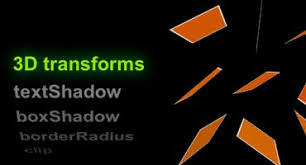
Now see how the bottom rotation has a Y in it this Y is how the 3d effect happens the Y will make go all the way around till it’s back at its normal form combine that with opacity 1 you can get a cool effect.
That’s it for today thanks for reading this blog post and if you’re interested in Brotherswhocode subscribe to our youtube channel here and visit our website http://brotherswhocode.dev.
 Brothers Who Code