
Hey, Its Hasani from Brotherswhocode, today I’m Going to show you how to make a header using HTML, CSS. Let’s get started!
The first thing you need is to create a header tag, then create a Nav tag and A tag. Once you have all the tags in order, then put all your content in the A tag.
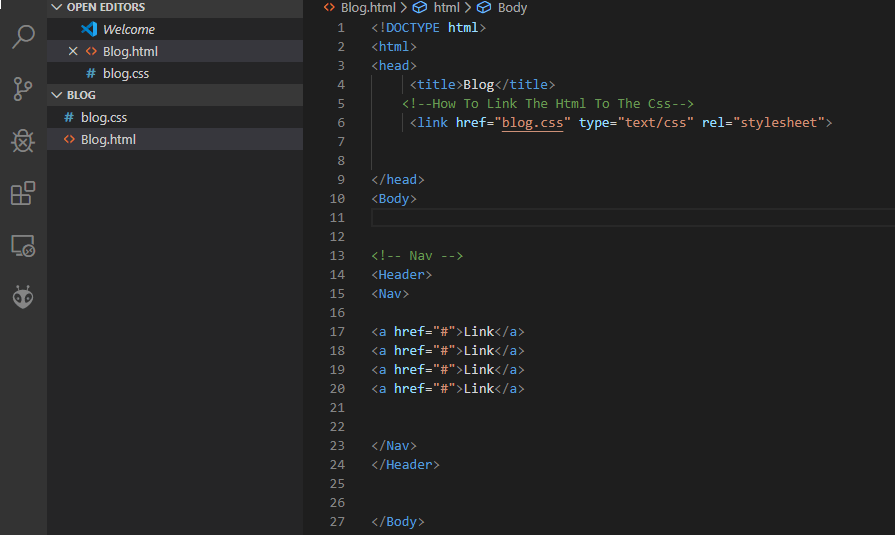
Next, you need to switch to your CSS file, which is connected to the Html through the link tag. (Which Looks Like This)

Once you’re in the CSS make a nav selector, then inside the selector put display grid and grid template columns. (Like This)

That’s how you make a header in Html and CSS.
Brotherswhocode
 Brothers Who Code